
Thermostat Calling for Heat but Getting AC? Check Your Heat Pump Settings!
When the seasons change, one of the most common troubleshooting calls we receive at ECOJAY is surprisingly simple: "My thermostat is calling for heat, but my air conditioner is running!"
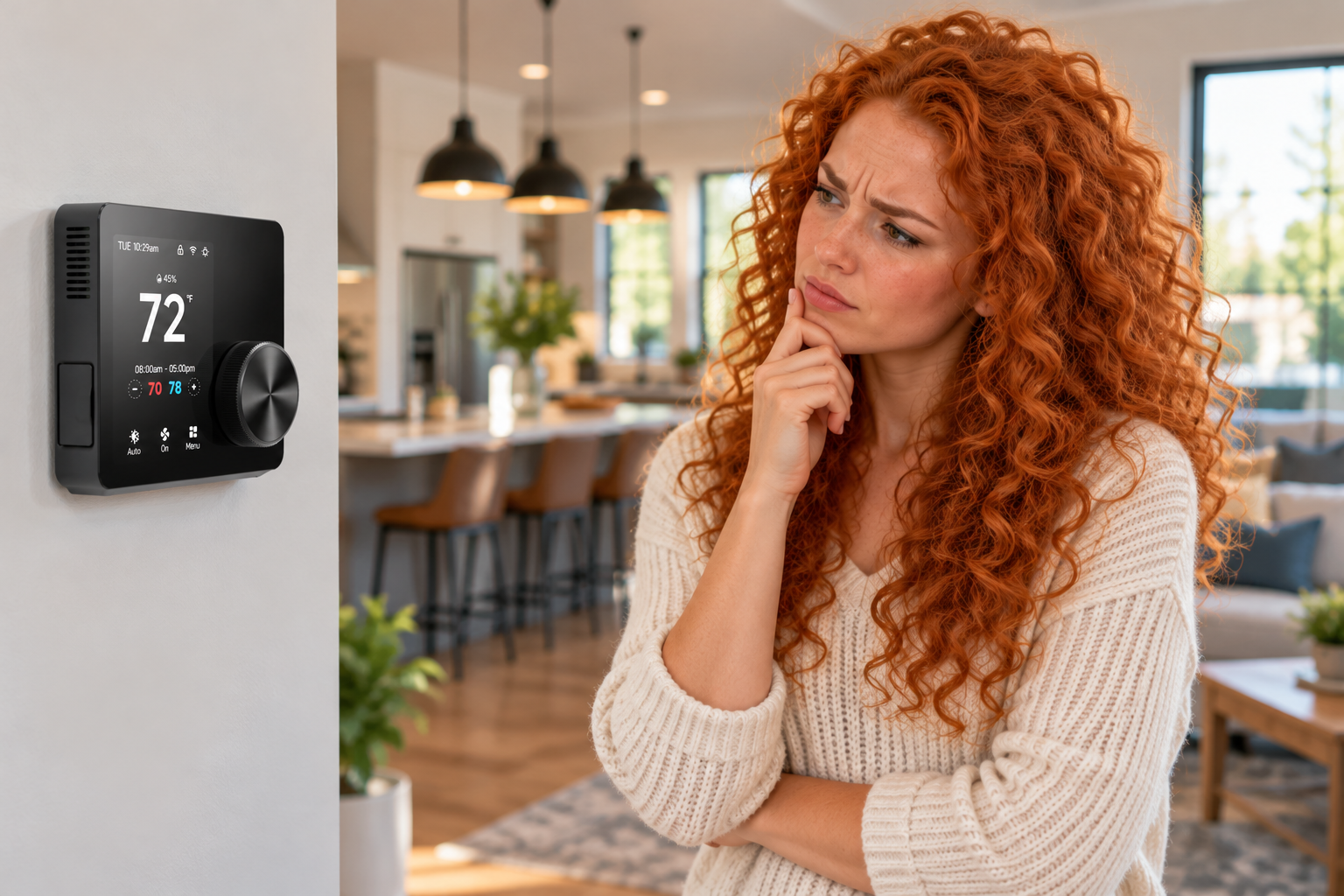
This problem often appears during the first cold days of fall, when homeowners switch their HVAC systems from cooling to heating for the first time in months.
The good news? In many cases, nothing is actually broken. The problem is simply a configuration mismatch between the thermostat, HVAC zone control panel, and heat pump equipment.
Let's explain why this happens and how to fix it.
Understanding How a Heat Pump Switches Between Heating and Cooling
Unlike a conventional furnace and air conditioner, a heat pump uses the same refrigeration system to provide both heating and cooling.
To switch between these two modes, a heat pump uses a component called a reversing valve.
The reversing valve changes the direction of refrigerant flow, allowing the system to either heat or cool your home.
Here's where things get interesting: Not all heat pumps use the same reversing valve logic!
Heat pumps typically use one of two configurations:
O (energized in cooling): The reversing valve receives 24VAC during cooling operation. This is the most common configuration used by residential heat pump manufacturers.
B (energized in heating): The reversing valve receives 24VAC during heating operation. This configuration is used by certain manufacturers, most notably Rheem and Ruud.
Both methods accomplish the same thing, but they operate in opposite ways.
If your HVAC controls are configured for the wrong type, your heat pump may operate in cooling mode when heating is requested, or vice versa.
Why HVAC Zoning Systems Add Another Configuration Step
In a traditional single-thermostat installation, the thermostat controls the heat pump directly.
However, in a zoned HVAC system, the zone control panel sits between the thermostats and the HVAC equipment.
That means three components must be configured correctly:
The thermostat: Must be configured for the appropriate system type, such as a conventional furnace/AC or a heat pump, and the correct O/B setting when applicable.
The zone control panel: Must recognize the thermostat's heating and cooling signals and translate them into the correct equipment outputs.
The HVAC equipment: The heat pump's reversing valve operation must match the configuration of the zone control panel.
If any of these settings are incorrect, the system may run in the opposite mode from what the thermostat requests.
For example, a heat pump that requires an O signal for cooling could mistakenly receive that signal during a heating call if the zone control panel is configured for B operation.
The result? Your thermostat says HEAT, but your system delivers COOL air!
How to Troubleshoot the Problem
Before assuming that your heat pump, thermostat, or zone controller is defective, check these common configuration issues.
Step 1: Verify the Thermostat Configuration
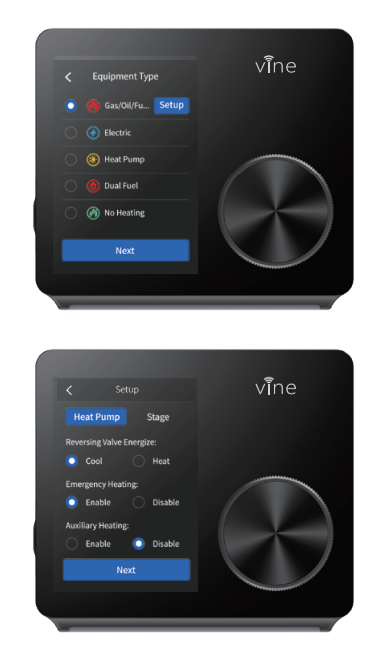
Enter the thermostat's installer setup menu and confirm that the equipment type is configured correctly.
If the thermostat is connected to a zone control panel, follow the zone panel manufacturer's instructions for selecting the thermostat type. Some zoning systems require thermostats to be configured as conventional heating/cooling thermostats, even when the equipment itself is a heat pump.

Step 2: Check the Zone Control Panel Settings
Verify that the zone control panel is configured for the actual HVAC equipment.
For heat pump systems, confirm the reversing valve setting (DIP SWITCH #2):
O = Reversing valve energized during cooling
B = Reversing valve energized during heating
Also verify that the zone panel's thermostat configuration matches the type of signals being sent by each thermostat.

Step 3: Verify the Heat Pump Equipment Requirements
Consult the installation documentation for your particular heat pump.
While O operation is more common, some manufacturers use B operation. Never assume the correct setting based solely on the thermostat's default configuration.
Step 4: Test Heating and Cooling
After confirming the settings, test the system in both heating and cooling modes.
Allow time for the equipment's built-in compressor protection delays before evaluating operation.
Confirm that the equipment actually produces heating when requested and cooling when requested.
If the system still operates incorrectly, a qualified HVAC technician can check the thermostat signals, zone panel outputs, and reversing valve circuit.
A Special Note for SmartZone Owners
ECOJAY SmartZone controllers are designed to work with conventional heating/cooling systems and heat pump equipment, including systems with O or B reversing valve operation.
When troubleshooting a SmartZone installation, it's important to verify both the thermostat configuration and the equipment configuration on the SmartZone panel.
Remember that the thermostat type and the HVAC equipment type are not necessarily the same setting. A heat pump installation may use conventional thermostat signaling, depending on the zone panel configuration.
Before changing wiring or replacing equipment, review your SmartZone installation guide and confirm the correct setup.
The Bottom Line: Check the Settings Before Replacing Parts!
When your thermostat calls for heat but the system produces cooling, the problem may be nothing more than an incorrect thermostat or zone controller setting.
This is particularly common during seasonal changeovers, when a configuration problem that went unnoticed during summer cooling suddenly becomes obvious.
Understanding the difference between O and B reversing valve operation—and ensuring your thermostat, zoning controller, and heat pump are configured to work together—can save time, frustration, and unnecessary service calls.
Need help with your SmartZone installation?
Visit ZoningSupply.com for SmartZone zoning controllers, installation resources, and HVAC zoning accessories.
ECOJAY has been developing innovative HVAC zoning solutions for more than 20 years, with a focus on making zoning easier to install, configure, and troubleshoot.